X, the service formerly known as Twitter, has announced that the company will launch a standalone messaging app called XChat for iPhone and iPad on April 17.
The announcement did not provide any additional information about the service but the app description in the App Store says “Chat with anyone on X in a private, focused space built for conversation. No ads. No tracking. Fully end-to-end encrypted”, which more or less the same features of the current messaging app in the space. XChat is basically the spin-off X/Twitter’s DM and the web version of XChat is available at https://x.com/i/chat/. It remains to be seen if spinning-off DM to a separate app/service will be enough to drive more engagement to the service, specially if it will be competing to established messaging service like Facebook’s Messaging, WhatsApp and Apple’s Messages.
I just saw this message (image above) on my Messenger desktop app and it appears that META a.k.a. Facebook wants to bring users back to Facebook.com, since users will be redirected back to Facebook.com after Dec. 15. The Messenger app shutdown affects both the Windows and Mac apps of Messenger.
And if you are worried about your chat history, Meta encourages users to “enabled secure storage in Messenger should turn on secure storage and setup a PIN from their desktop app.” You can visit this Support page for the FAQ’s and additional information on Messenger app on desktop.
Microsoft will soon remove the ability to create local Windows account during the installation/setup process. The announcement was made when the company release the “Windows 11 Insider Preview Build 26220.6772 (KB5065797).”
Local-only commands removal: We are removing known mechanisms for creating a local account in the Windows Setup experience (OOBE). While these mechanisms were often used to bypass Microsoft account setup, they also inadvertently skip critical setup screens, potentially causing users to exit OOBE with a device that is not fully configured for use. Users will need to complete OOBE with internet and a Microsoft account, to ensure device is setup correctly.
For now, users can still use and create local Windows account during the setup process but once the Windows 11 Insider Preview Build 26220.6772 (KB5065797) is rolled-out for the general public, a Microsoft account will be required to complete the Windows 11 installation/setup process.
Together with the iOS 26, Apple also release the latest version of their software platforms namely the iPadOS 26, macOS Tahoe 26, watchOS 26, tvOS 26, and visionOS 26.
Apple today released exciting new features and capabilities across each of its software platforms — iOS, iPadOS, macOS, watchOS, tvOS, and visionOS — and introduced a beautiful new design with Liquid Glass that brings even greater consistency across the Apple ecosystem. New Apple Intelligence features help break down language barriers with Live Translation, extend the capabilities of visual intelligence, and bring personalized, motivational audio insights with Workout Buddy on Apple Watch. Users will also find a range of updates across apps and experiences they use every day, including helpful ways to screen phone calls, customize messages on iPhone, and create delightful spatial scenes that bring photos to life. iPad users will experience an entirely new powerful and intuitive windowing system, and Mac gets the biggest update ever to Spotlight. Apple Watch introduces sleep score to give users a better understanding of sleep quality, plus Apple Vision Pro now features widgets and all-new Personas that are more natural and familiar.
Here’s a short video about Apple Intelligence;
And Liquid Glass;
The upgrade focuses mainly on the new Liquid Glass and Apple Intelligence, which will be integrated across all Apple devices. To upgrade to the latest iPadOS, you can go to your iPad’s SETTINGS > GENERAL > SOFTWARE UPDATE.
For Macs, here’s how you can update to macOS Tahoe 26;
Use Spotlight in the menu bar to search for “Software Update,” then open it from the search results.
Or open Software Update from settings: From the Apple menu in the corner of your screen, choose System Settings. In the window that opens, click General in the sidebar, then click Software Update on the right. (In earlier versions of macOS, choose Apple menu > System Preferences instead, then click Software Update.)
Keep in mind that the new macOS Tahoe 26 will show if you are using a compatible Mac.
If you want to upgrade your watchOS to watchOS 26, here are things that you can do;
You can wait until Apple Watch notifies you when a new update is available. Tap Update Tonight in the notification, then go to your iPhone to confirm that you want to update overnight. At the end of the day, leave your Apple Watch and iPhone charging overnight so the update can complete.
Or you can update your Apple Watch with your iPhone manually:
On your iPhone, open the Apple Watch app, then tap the My Watch tab.
Tap General > Software Update.
Download the update. If asked for your iPhone passcode or Apple Watch passcode, enter it.
Wait for the progress wheel to appear on your Apple Watch. It could take from several minutes to an hour for the update to complete.
Leave your Apple Watch on its charger while the update completes. Don’t restart your iPhone or Apple Watch, and don’t quit the Apple Watch app. When the update completes, your Apple Watch restarts on its own.
Update directly on your Apple Watch
If your Apple Watch has watchOS 6 or later, you can install updates without your iPhone:
Make sure that your watch is connected to Wi-Fi.
On your watch, open the Settings app.
Tap General > Software Update.
Tap Install if a software update is available, then follow the onscreen instructions.
Keep in mind that watchOS 26 is compatible with these Apple Watch models:
Apple Watch SE 2 and later
Apple Watch Series 6 and later
Apple Watch Ultra and later
To update your Apple TV, you can do it automatically or manually;
Update your Apple TV automatically
You can set your Apple TV to automatically install new updates when they’re available. Go to Settings > System > Software Updates and turn on Automatically Update.
Update your Apple TV manually
Go to Settings > System > Software Updates and select Update Software.
If there’s an update, select Download and Install.
Wait for your Apple TV to download the update. Keep your Apple TV connected and plugged in to power until the update is complete.
After the update downloads, your Apple TV will restart, prepare the update, then install it. When the update is complete, your Apple TV will automatically restart again.
And last but not the least, this is how you can update your visionOS to visionOS 26.
How to update visionOS automatically
Go to Settings > General > Software Update > Automatic Updates.
Turn on visionOS Updates.
Turn on Security Responses & System Files to automatically install security updates that might be available between complete visionOS updates. You can turn this option on in addition to visionOS Updates, or turn it on by itself.
If you’d like for visionOS updates to download automatically but install only when you choose, turn on visionOS Updates under Automatically Download. Then turn off visionOS Updates under Automatically Install.
Automatic visionOS software updates are downloaded and installed when your Apple Vision Pro is connected to Wi-Fi, charging, and locked.
How to check for visionOS updates manually
Back up your Apple Vision Pro.
Go to Settings > General > Software Update. The screen shows the currently installed version of visionOS and whether an update is available.
If an update is available, tap Download and Install or Install Now. You might need to enter your Apple Vision Pro passcode.
When the update is ready to install, an alert asks you to take off your Apple Vision Pro. You can see the progress of the update on the front of your device with EyeSight.
Your Apple Vision Pro battery needs to have sufficient charge, or be connected to power, before your device can update. An alert will let you know if you need to charge your battery first.
After months of beta testing, Apple finally release the iOS 26 to iPhone users main for those using iPhone SE 2nd generation and later models. iOS 26 will feature the new Liquid Glass UI, improved Apple Intelligence, and will “introduce new features in CarPlay, Apple Music, Maps, and Wallet, as well as Apple Games, a brand-new app to access all your games.”
To know more about the new iOS 26, you can read this or just go here. You can also watch the video below for a 4-mins video about Liquid Glass.
For the complete list of compatible devices, you can check the list below.
iPhone 16e
iPhone 14
iPhone 12 mini
iPhone 16
iPhone 14 Plus
iPhone 12 Pro
iPhone 16 Plus
iPhone 14 Pro
iPhone 12 Pro Max
iPhone 16 Pro
iPhone 14 Pro Max
iPhone 11
iPhone 16 Pro Max
iPhone 13
iPhone 11 Pro
iPhone 15
iPhone 13 mini
iPhone 11 Pro Max
iPhone 15 Plus
iPhone 13 Pro
iPhone SE (2nd generation and later)
iPhone 15 Pro
iPhone 13 Pro Max
iPhone 15 Pro Max
iPhone 12
You can check if the update is available, on your iPhone you can go to Settings > General > Software Update.
Oli’s government lifted the social media ban after protests turned violent, killing 19 and injuring more than a 100 after police fired tear gas and rubber bullets at protesters trying to storm parliament on Monday.
…
“We have withdrawn the shutdown of the social media. They are working now,” cabinet spokesperson and Communications and Information Technology Minister Prithvi Subba Gurung told Reuters.
Spotify is introducing Messages, a new in-app feature that allows users to share and discuss music, podcasts, and audiobooks with friends and family. The feature is rolling out to users 16 and older in select markets.
Messages provides a dedicated space within the Spotify app for the word-of-mouth recommendations that are already a key part of the platform’s experience. It allows for one-on-one chats where users can send content, react with emojis, and text back and forth. You can easily start a conversation from the “Now Playing” screen by tapping the share icon and selecting a friend. The feature also suggests people to message based on your past interactions, like sharing content or being in a Blend or collaborative playlist.
From Spotify;
Here’s how Messages work
Messages are one-on-one conversations where you can share Spotify content and react with text and emojis.
Share Spotify content and start a message in-app with people you’ve interacted with before through Spotify.
When listening to a song, podcast, or audiobook in the Now Playing View, tap the share icon, select a friend, and hit send.
Once you accept a message request, you’ll be able to react with emojis, send texts, and seamlessly share Spotify content back and forth. Access Messages by going to your profile photo in the top left corner.
Spotify states that Messages is designed to complement existing sharing options, not replace them, and will help artists and creators gain new fans through increased word-of-mouth recommendations. Users have full control, with options to accept or reject message requests, block users, and report content. Conversations are protected with industry-standard encryption, and Spotify will use proactive detection and moderation to ensure a safe environment for all users.
Russia has “partially” blocked certain calling features on the messaging applications Telegram and WhatsApp. This action was taken in response to these platforms allegedly being used “to deceive and extort money, and to involve Russian citizens in sabotage and terrorist activities.”
According to a report by Associated Press, the measure was implemented because these platforms are being “used to deceive and extort money, and to involve Russian citizens in sabotage and terrorist activities.” The statement did not specify which calling features were affected, but reports from Russian users indicate that both voice and video calls may be impacted.
This is the statement from WhatsApp related to the Russian government’s attempt to block the service.
Our statement on the news about the Russian government's attempt to block WhatsApp:
WhatsApp is private, end-to-end encrypted, and defies government attempts to violate people’s right to secure communication, which is why Russia is trying to block it from over 100 million…
Apple has officially announce the dates for their annual developer conference this 2025.
Apple today announced it will host its annual Worldwide Developers Conference (WWDC) online from June 9 to 13, 2025. Developers and students will also have the opportunity to celebrate in person during a special event at Apple Park on June 9.
Available for free to all developers, WWDC25 will spotlight the latest advancements in Apple software. As part of Apple’s ongoing commitment to supporting developers, the conference will provide them with unique access to Apple experts, as well as insight into new tools, frameworks, and features.
The company is scheduled to announce the next/new generation of Apple software, including iOS 19, iPadOS 19, macOS 16, watchOS 12, tvOS 19, and visionOS 3.
The company is also expected to provide additional details to the much awaited full version of Apple Intelligence, which have been touted as the killer service/feature of the iPhone 16 and Apple silicon-powered Macs.
Microsoft will be shutting down Skype this May 2025. The company said that the service will remain available until May 5, 2025.
Starting in May 2025, Skype will no longer be available. Over the coming days you can sign in to Microsoft Teams Free with your Skype account to stay connected with all your chats and contacts. Thank you for being part of Skype pic.twitter.com/EZ2wJLOQ1a
Microsoft explained that during this transition period, Skype users will have the ability to sign-on to Microsoft Teams (Free) on any supported device, this will transfer any skype chats and contacts to Microsoft Teams. At the same time, Skype users will be able to call MS Teams users and vice versa.
If skype users does not want move MS Teams, they will have the ability to export their skype data including chats, contacts, and call history. Then import the information their preferred video chat and messaging service.
With the impending shutdown, Microsoft added that the company will “no longer offer paid Skype features to new customers, including Skype Credit and subscriptions that allow users to make and receive international and domestic calls. Current Skype subscription users can continue to use their Skype Credits and subscriptions until the end of their next renewal period. Skype Credit users can also continue to use their remaining Skype Credit. After May 5, 2025, the Skype Dial Pad will be available to remaining paid users from the Skype web portal and within Teams.”
Launched in 2003, Skype is a P2P IP-based videotelephony, videoconferencing and voice calls. The company was acquired by Microsoft in 2011 for $8.5 billion and used it to replace their Windows Live Messenger.
Microsoft just announced that the company will stop supporting Windows 10 this coming October 2025.
The software giant said that “after October 14th 2025, Microsoft will no longer provide free software updates, technical assistance amd security fixes for Windows 10.”
The company added that PC running Windows 10 “will still work” but they recommend upgrading to Windows 11 is possible.
Modern PC supports Windows 11 and uprading to the latest Windows OS is free. But if you are like me using a 10 year old laptop, then the onlu course of action is to buy a new computer running Windows 11 right out of the box.
More than four months after announcing Apple’s acquisition of Pixelmator, the deal appears to have been completed without any announcement, since users of the Pixelmator apps are displaying new splash screen announcing the deal.
The messages on the splash screen is a simple “We are excited to announce that Pixelmator Pro is now part of Apple,” and Pixelmator users confirmed that they are getting the similar message using app.
Apple now owns Pixelmator fully. I hope this is a good thing, but I did love that for many years I have been using it, the company has always provided regular updates and features. Something to be said for a hungry independent company. Still could be integrated in some great… pic.twitter.com/cfvw5xQEnz
While Apple has acquired Pixelmator, they haven’t revealed plans for the app’s future. It remains a standalone product for now, and hopefully won’t suffer the same fate as Apple’s Aperture app, which was discontinued in 2015.
After US President Trump delayed the ban of TikTok for 75 days, the Chinese Social Media company now announced that the TikTok Android Package Kits (APK) is now available for download for Android users. Just head over to https://www.tiktok.com/download, to download the installer file.
We're enhancing ways for our community to continue using TikTok by making Android Package Kits available at https://t.co/JoNVqKpnrS so that our U.S. Android users can download our app and create, discover, and connect on TikTok.
The move is the prompted by the removal of the Tiktok app from the Android Play Store and Apple App Store, which is one of the things that US company needs to do when the TikTok ban law went into effect on Jan. 20, even though “President Trump has signed an executive order granting TikTok a 75-day extension to comply with a law that requires a sale or ban of the platform.”
To guide you on how to install an APK that is downloaded outside the Google Play Store, you can visit read Download apps to your Android device.
Grab Philippines has released an official statement regarding one of its driver-partner of being accused of lascivious acts by his passenger. In their statement, Grab Philippines said “After a comprehensive review of the Audio Protect recording from the trip, the driver-partner’s profile, and performance history, we found no conclusive evidence to support the allegations or indicate any malicious intent.”
After the surprise shutdown of Tiktok last weekend, the Chinese-owned social media received a much needed break when President Trump signed an executive order delaying the ban of TikTok for 75 days.
BBC news reports, “President Trump has signed an executive order granting TikTok a 75-day extension to comply with a law that requires a sale or ban of the platform.”
US President Donald Trump explained that in this 75-days extension, “the US will not enforce the law passed by Congress last year and signed by former President Joe Biden.” This will also allow its owner ByteDance until April 5, 2025 to find a solution to avoid an abrupt shutdown of their platform, TikTok. This deadline comes after the US Supreme Court upheld a law requiring ByteDance to divest its interest in TikTok by that date or face a nationwide ban.
ByteDance is currently exploring various options to comply with the law, including selling TikTok or spinning it off into a separate company. However, the company has also expressed concerns about the potential impact of a forced sale on TikTok’s users and employees.
If you can recall, it was during his first term in 2020, the US President Donald Trump issued an executive order to ban TikTok. He is currently attempting to evade a bipartisan law that went in effect this 19th of January.
Saudi Central Bank (SAMA) and Google have partnered to bring Google Pay to Saudi Arabia in 2025 through the mada payment system. This move supports SAMA’s Vision 2030 goals by boosting digital payments and reducing cash reliance. Google Pay will offer secure and convenient transactions in stores, apps, and online.
The agreement will allow Android users to pay using their Android phones instead of using their MADA card, just like how iOS users uses Apple pay (on their iphone).
Nintendo has launch a music app called Nintendo Music. Nintendo Music is a music streaming service provided by Nintendo in which you can listen to music from your favorite Nintendo games that includes Splatoon, Animal Crossing, and The Legend of Zelda.
The Nintendo Music app allows you to stream or download Nintendo soundtracks, create and share playlists, browse music by different categories. In order to use the Nintendo Music service you need to be a paying member of any Nintendo Switch Online membership.
Viber, one of the Philippines top messaging platform, just launched a dating feature that was made to help users “make real connections”.
Even though the feature is still in beta test, users can setup their dating profile by opening the mobile app, then at the bottom tap the “More” option. Your Viber Dating Profile will only visible to users who are also using the feature and will not affect your regular Viber Profile.
Your Viber Dating Profile will include your Name, Birthday, Gender, and Sexual orientation. It also include a brief bio and users can upload a maximum of six (6) photos. Users can also indicate if they are looking for i.e, relationship, new friends, or just some fun. Unlike the sexual orientation and dating preference, your real name and age cannot be change once you’ve set it, the company said that “name or age can only be changed by deleting your profile and creating a new one.”
Since there are hoards of dating apps available out there, Viber’s advantage is that people are already using the app and adding a dating feature within the platform could be ideal for users who do not want to manage another account or profile.
For more details on the Viber Dating feature, you checkout the support page of Viber Dating.
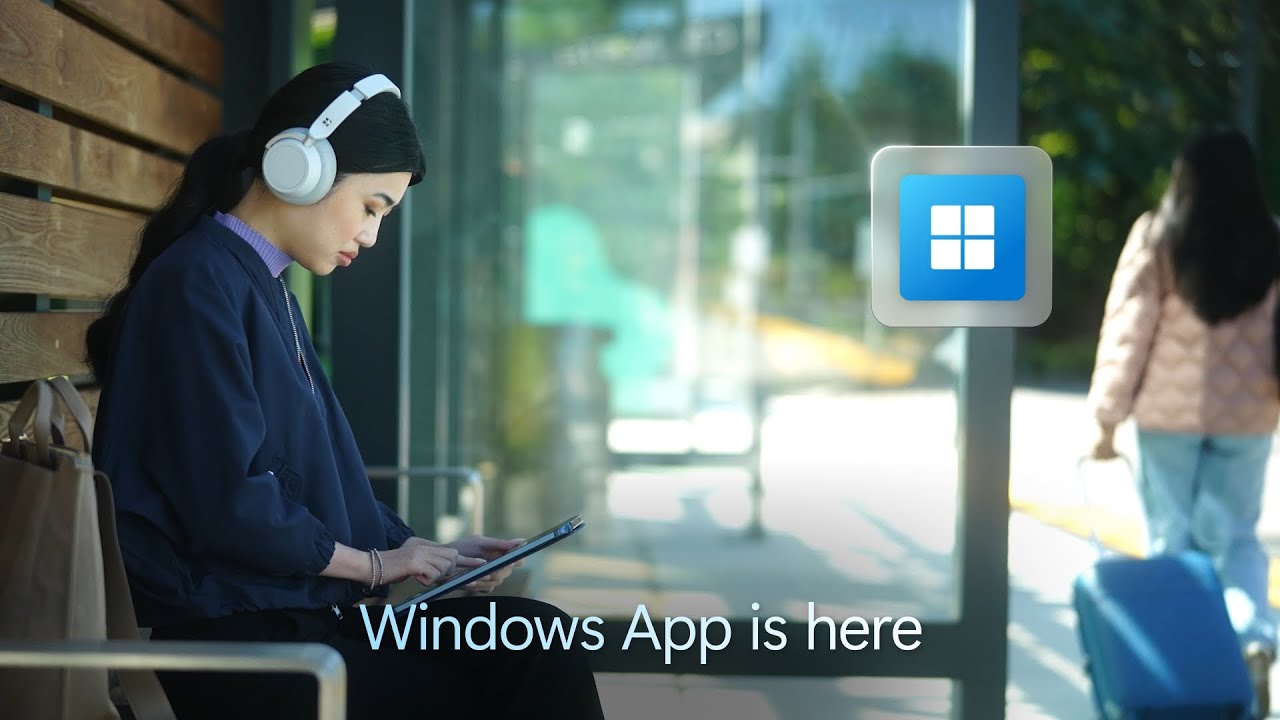
Hilary Braun, Senior Product Manager for Windows 365;
We’re excited to announce that, starting today, Windows App is generally available for Windows, macOS, iOS, iPadOS, and web browsers—and in public preview for Android. This unified app serves as your secure gateway to connect to Windows across Windows 365, Azure Virtual Desktop, Remote Desktop, Remote Desktop Services, Microsoft Dev Box, and more.
With Windows App, you can enjoy a unified experience that makes it simple for people to connect to the Windows experience they know and love from any device. Enhance productivity with features such as customizable home screens, multi-monitor support, and USB redirection. Windows App also offers advanced security features, including multifactor authentication, to ensure a seamless and robust connection and enable efficient work from any location, at any time.
This could be where “Windows OS” is going in the cloud, the device that you will be using is just a way to access your “Windows-Account” that holds all your apps, files and cloud services.
iOS 18 is now available, bringing iPhone users around the world new ways to personalize their iPhone with deeper customization to the Home Screen and Control Center; the biggest-ever redesign to Photos, making it even easier to find and relive special moments; and major enhancements to Messages and Mail. Starting next month, iOS 18 will introduce Apple Intelligence, the personal intelligence system that combines the power of generative models with personal context to deliver intelligence that is incredibly useful and relevant while protecting users’ privacy and security.
iOS 18 is a free software update for iPhone Xs and later.
The feature that I’ve been looking forward to is the HOME Screen Customization and as for Apple Intelligence features, it looks like we need to wait until next month.
If you do not have the AUTOMATIC UPDATES enabled, you can manually update to iOS 18 by going to SETTINGS > GENERAL > SOFTWARE UPDATES.
Instagram just announced that users can now leave a public comment on IG Stories. There is a caveat on who can and cannot leave a comment on IG Stories.
his addition enables a more public way to respond to Stories. Whereas the feature is either limited only to those who follow back each other, set to everyone, or disabled entirely.
While that is the case, as long as the Story is set to public and Story Comments is not disabled, everyone will be able to view the comments.
The social media company also published a short video on how the features works.
For users who wants to disable the features, you can do so by going to the Comments section of your STORIES then TURN OFF COMMENTING.
After announcing the launch of ‘Angcars,’ motorcycle-sharing service Angkas is now testing the service. In an article on Yugatech, Angkas is currently beta testing the new service in Metro Manila particularly in Mandaluyong, Makati, Pasig, and Bonifacio Global City in Taguig. If you are currently in the area, you can see the ANGCARS option within the app.
The app also listed that the base fare/flagdown rate for Angcars will be ₱45.00 then the per kilometer charge is ₱15.00; and ₱2.00 for per minute charge, the company also disclosed that the rates will vary depending on traffic conditions.
Currently only 4 seater cars are available and SUVs (6 seaters above) will soon be available for commuters. For those, who wants to be an Angcar driver, you can go here for the details on how to apply.
Angkas is already a big hit among commuters, and Angcarswill be banking on loyal Angkas users to kickstart the service and challenge ride-hailing pioneers Grab in the metropolitan area.
Procreate, the popular iPad design app, has issue a “No generative AI” policy, the announcement came after most of its competitor are developing their own generative AI or some kind of AI tool for their products/services.
Generative AI is ripping the humanity out of things. Built on a foundation of theft, the technology is steering us toward a barren future. We think machine learning is a compelling technology with a lot of merit, but the path generative AI is on is wrong for us.
We’re here for the humans. We’re not chasing a technology that is a moral threat to our greatest jewel: human creativity. In this technological rush, this might make us an exception or seem at risk of being left behind. But we see this road less travelled as the more exciting and fruitful one for our community.
At the same time, Procreate CEO James Cuda published a 40 sec video on the official X/twitter account of @Procreate reinforcing their stance on generative AI.
Here are some of the reaction that Procreate receives regarding their “NO AI” stance;
Now THIS is how a company for artists supports artists! By respecting and empowering them, NOT by taking advantage of them! Good on Procreate for being on the right side of history, and looking forward to whatever the team does next 🙌 https://t.co/l7qvHdOPwO
Now thats the way to send a message. Now if only you guys could get a full power competitor to PS on desktop with plugin support. Until someone can build a real competitor to high level PS use, I'm stuck with it.
James and the Procreate team, Thank you for championing human creativity and building tools to amplify it. Creativity is what makes us unique, and it’s how anything new is brought into the world. Without it, we’d all be bland and soulless. It was an honor to meet you in June! 🙂
Generative AI technology is an amazing technology but this technology is trained using other artists’ content and artwork, to the point that their copyrights are violated and without any compensation.
Primate Labs Inc. creator of Geekbench, has launch the Geekbench AI, an AI benchmarking tool that measures AI performance. The app measures our devices CPU, GPU, and NPU to determine if it is ready for A.I. and machine learning applications.
Previously called “Geekbench ML,” Geekbench AI 1.0 is the first benchmarking application that will attempt to measure AI performances. Geekbench AI runs ten AI workloads, each with three different data types, giving you a multidimensional picture of on-device AI performance. Using large datasets that mimic real-world AI use cases, both developers and consumers can measure on-device AI performance in just a few minutes with Single Precision, Half Precision, and Quantized scores.
All the new gadgets have AI Things and Stuff inside, but how fast is that AI? How do you compare Apples to Androids, or laptops to desktops?
Introducing Geekbench AI 1.0 for easy cross-platform, cross-device, cross-framework AI performance measurements: https://t.co/INjUQsNvUc
Geekbench AI 1.0 will be available on Android, iOS, Linux, MacOS and Windows. It supports multiple AI Framework like TensorFlow Lite, CoreML, TensorFlow Lite, ONNX and OpenVINO. You can checkout Geekbench AI Workloads documentation to know the tests Geekbench AI uses to measure AI performance.
To use use Geekbench AI 1.0 you can download it from here.
Netflix is adding one of the icons of Windows computing and bringing a modern spin to the classic Minesweeper. You can now play the game through the Netflix’s app.
Netflix’s take on the Minesweeper will feature an international setting and giving player the goal to clear underwater mines with rewards. Game still have that usual interface of numbers and flags over vibrant pictures of waterways from around the world.
Since Netflix Games is included with your Netflix membership, as the trailer below promises: “No ads. No extra fees. No in-app purchases.”
Google just announced that they are adding 110 new languages to Google Translate, this includes 5 languages from the Philippines namely: Bikol, Hiligaynon, Kapampangan, Pangasinan and Waray.
Google explains that the expansion was possible with the use of artificial intelligence (AI) paired with PaLM 2 large language model.
In addition to the 5 languages from the Philippines, Google translate also added support for the following;
Afar which is spoken in Djibouti, Eritrea and Ethiopia.
Cantonese, which Google says “one of the most requested languages for Google Translate.”
Manx is the Celtic language of the Isle of Man. sands of speakers.
NKo a standardized form of the West African Manding languages that unifies many dialects into a common language.
Punjabi (Shahmukhi) is the variety of Punjabi written in Perso-Arabic script (Shahmukhi), and is the most spoken language in Pakistan.
Tamazight (Amazigh) is a Berber language spoken across North Africa.
Tok Pisin is an English-based creole and the lingua franca of Papua New Guinea.
With the additional 110 new languages, Google Translate now supports 243 languages. You can find the full list of newly supported languages on Google Translate here.
Youtube has announced the release of Playables — a collection of free games you can play directly on the platform, which you can find in the Explore menu of the main YouTube Home page, either on desktop (web) or the iOS and Android app. Youtube’s Playables have been available in select users for testing before becoming available to YouTube Premium subscribers last year.
There are more than 75 games now available to play directly on YouTube Playables – lightweight, entertaining games like Angry Birds Showdown, Words of Wonders, Cut the Rope, Tomb of the Mask, and Trivia Crack.
Youtube is not the only company to add games in their service, Netflix in 2021 introduced Netflix games in their platform.
The instant messaging (IM) platform ICQ, a name synonymous with early online communication, is set to shut down on June 26, 2024, after nearly three decades in operation. Originally developed by the Israeli company Mirabilis in 1996, the client was bought by AOL in 1998, and then by Mail.Ru Group (now VK) in 2010. ICQ predates giants like Yahoo Messenger and AOL Instant Messenger, making it a true pioneer in the realm of online chat.
ICQ, pronounced “I seek you,” offered a free service that allowed users to connect with others through unique identification numbers. The platform’s familiar bouncing ball notification system became a pop culture icon, signifying the presence of a waiting message.
While ICQ enjoyed immense popularity in its early days, it struggled to keep pace with the evolution of communication technologies. The rise of mobile messaging apps and social media platforms ultimately led to its decline.
The official ICQ website confirmed the impending shutdown and recommends visitors to try VK Messenger and VK WorkSpace, which belong to the ICQ’s current owners.
Instagram’s daily active users reach a whopping 2 billion people a month and it’s no surprise that Meta is rolling out an update to encourage people to use less of the app. While it may seem counterintuitive for the company to reduce app usage, this is part of their effort to make the popular social media platform less detrimental to its users.
In the new update, the Quiet Mode feature will give “nightime nudges” on Instagram Reels or on Direct messages when the app detects that it’s been active for ten minutes late at night. On their most recent blogpost under “Giving Teens and Parents More Ways to Manage Their Time on Our Apps” dated June 27, 2023, the post says:
Update on January 18, 2024 at 3:00AM PT:
Sleep is important, particularly for young people, so we’re launching new nighttime nudges that will show up when teens have spent more than 10 minutes on Instagram in places like Reels or Direct Messages late at night. They’ll remind teens that it’s late, and encourage them to close the app.
Most phones have built-in health and wellness features to reduce screen time and app usage. But this does not guarantee teens are putting their phones down. In a literature review done by Neza Stiglic and Russell M Viner, they found out that higher screen times are associated with obesity and depressive symptoms.
Not just for kids
The company also has made Quiet Mode available to adults. Meta’s approach to focusing on providing better experiences for its younger users also extends to adults. The feature turns on automatically for app users below an age threshold. For adults engaged in activities like driving or working, Quiet Mode shuts off all notifications. It also sends an automated reply in the Direct Messages.
If a person is in Quiet Mode, other users will be able to see it. The feature changes the activity status to let other users know that the person isn’t actively on Instagram. The feature may affect content creators’ ability to engage with their followers. However, users can turn off Quite Mode anytime in the app.
Instagram also packaged another feature with the recent update. Users can filter out certain topics or emojis to ensure a more streamlined app content experience.
In addition to the rollout, Instagram also updated Parental Controls, allowing parents to monitor the app usage of children. This update lets parents access account settings, including privacy settings. Parents will then be notified of any changes or updates that have been made by the user.
Tiktok just announced that the company has updated the app, so users will have enhanced app experience for viewers using devices with large screens like tablets and foldable smartphones.
The company explained that viewers will now have a better experience watching Tiktok videos using large screen devices, since viewers will have clear video feed, streamlined navigation bars and support for both landscape or portrait view.
The update is a clear indication that not all viewers are using mobile phones to watch TikTok and there may be a growing number of users that uses tablets and foldable smartphones to watch and may be even created tiktok videos.